

Do you wish to check your Record of RIghts (RoR) or land Patta document in Odisha and are confused about where to start?
Worry no more because in this blog we will guide you through the most simple steps for check land patta Online in Odisha through the Bhulekh Odisha land records portal.
1.What is the Purpose of the Odisha Bhulekh Portal?
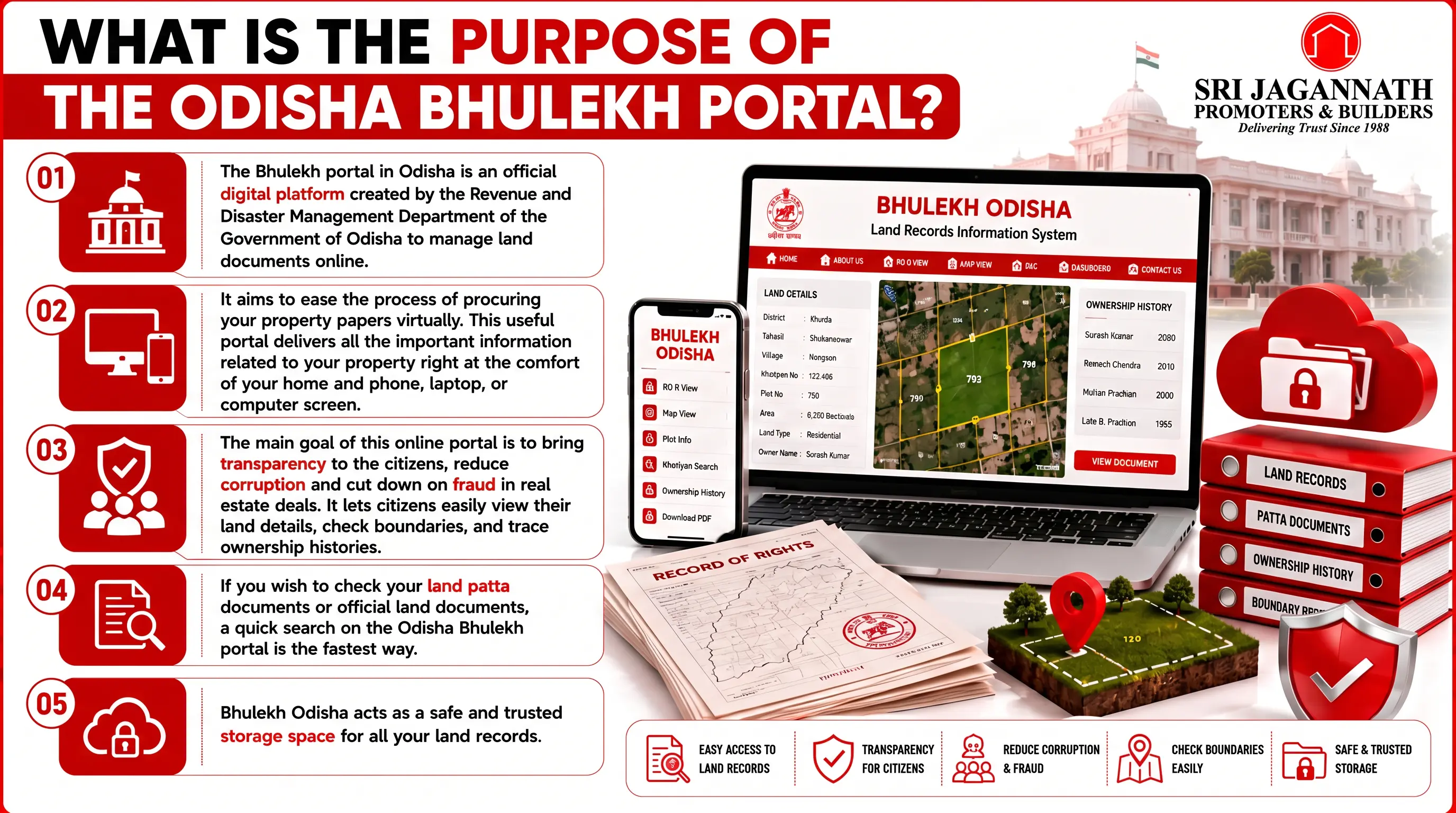
The Bhulekh portal in Odisha is an official digital platform created by the Revenue and Disaster Management Department of the Government of Odisha to manage land documents online.
It aims to ease the process of procuring your property papers virtually. This useful portal delivers all the important information related to your property right at the comfort of your home and phone, laptop, or computer screen.
The main goal of this online portal is to bring transparency to the citizens, and reduce corruption, and cut down on fraud in real estate deals. It lets citizens easily view their land details, check boundaries, and trace ownership histories.
If you wish to check your land patta documents, or official land documents, a quick search on the Odisha Bhulekh portal is the fastest way to check land patta Online in Odisha.
Bhulekh Odisha acts as a safe and trusted storage space for all your land records.
2.What is the ‘Land Record’ or ‘Patta Document’ in Odisha Real Estate?
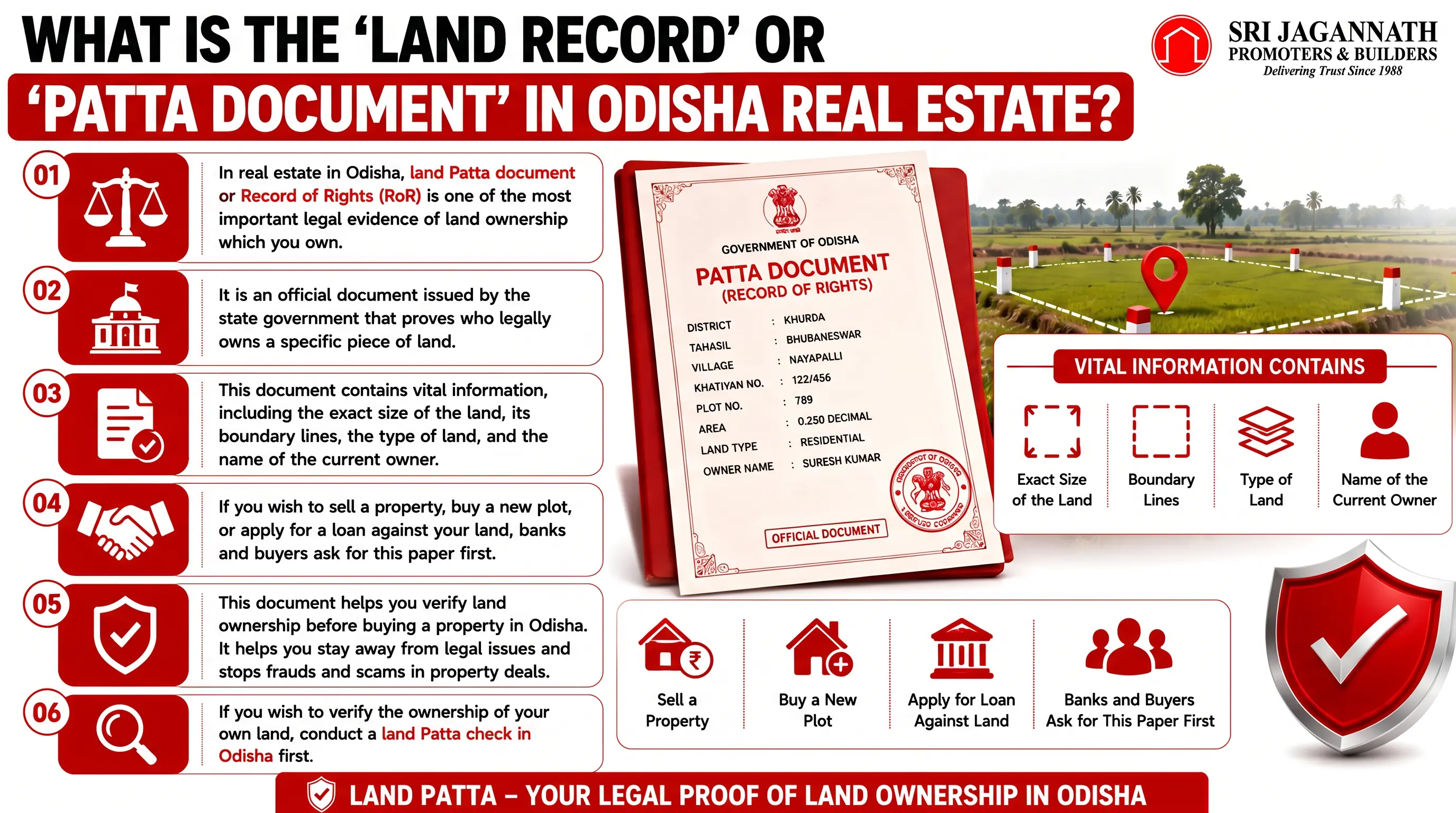
In real estate in Odisha, land Patta document or Record of Rights (RoR) is one of the most important legal evidence of land ownership which you own.
It is an official document issued by the state government that proves who legally owns a specific piece of land.
This document contains vital information, including the exact size of the land, its boundary lines, the type of land, and the name of the current owner.
If you wish to sell a property, buy a new plot, or apply for a loan against your land, banks and buyers ask for this paper first.
This document helps you verify land ownership before buying a property in Odisha. It helps you stay away from legal issues and stops frauds and scams in property deals. If you wish to verify the ownership of your own land, conduct a check land patta Online in Odisha first.
3.Step 1: Navigate to the Bhulekh Odisha Portal for Checking Your Land Patta in Odisha
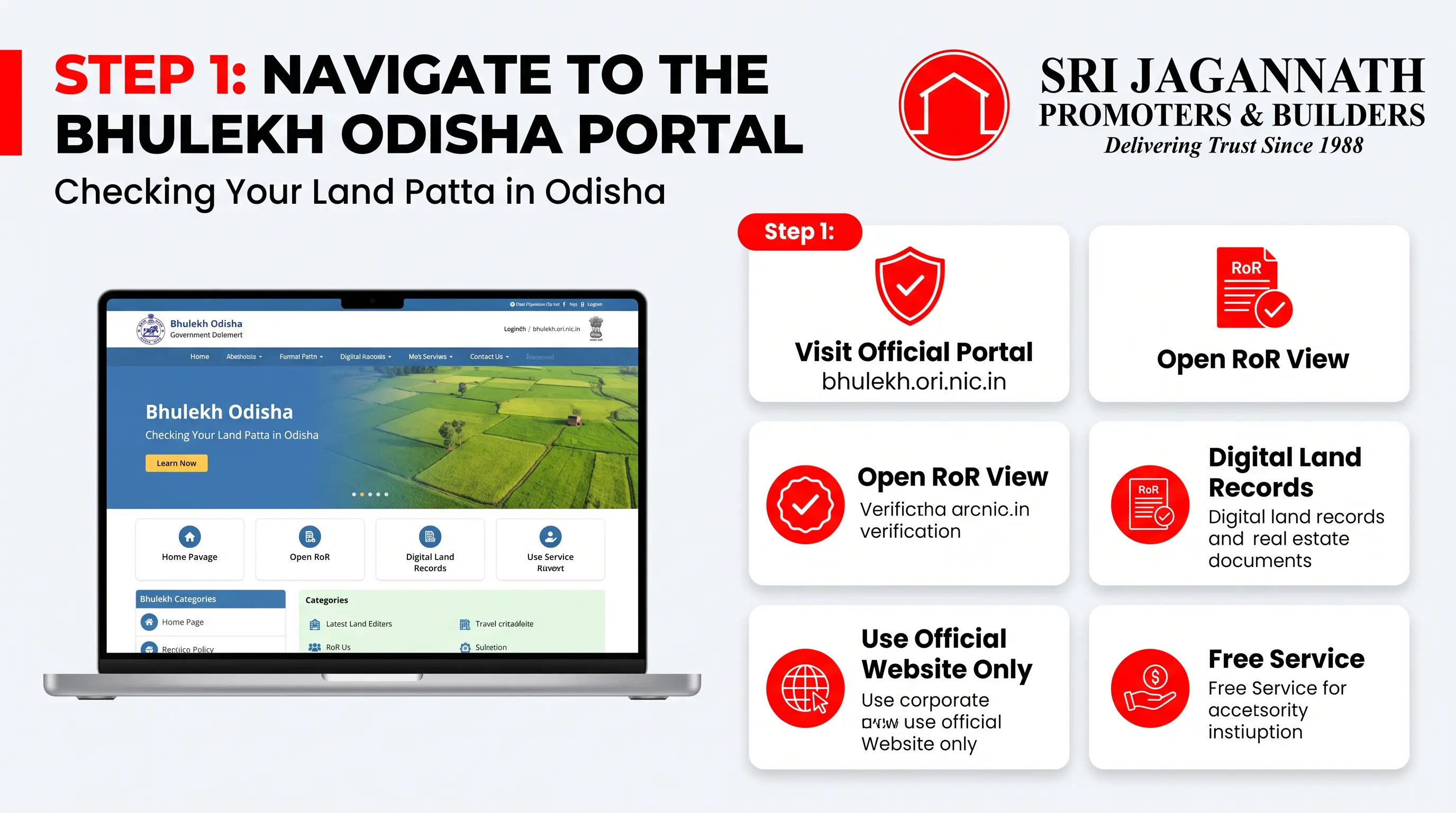
To begin the land record search for your property online, navigate to the Bhulekh Odisha portal first. Type the official web address for the state land system, which is bhulekh.ori.nic.in.
Once the portal opens, look for “RoR View”, which stands for the Record of RIghts document in Odisha.
In the main section of the website, all digital land papers are stored securely by the revenue department.
It is very important to make sure you are using the official government website to protect your personal information from fake portals that try to trick users.
Please note that this website is entirely free check land patta Online in Odisha.
4.Step 2: Select Your Location Details (District, Tahasil, and Village)
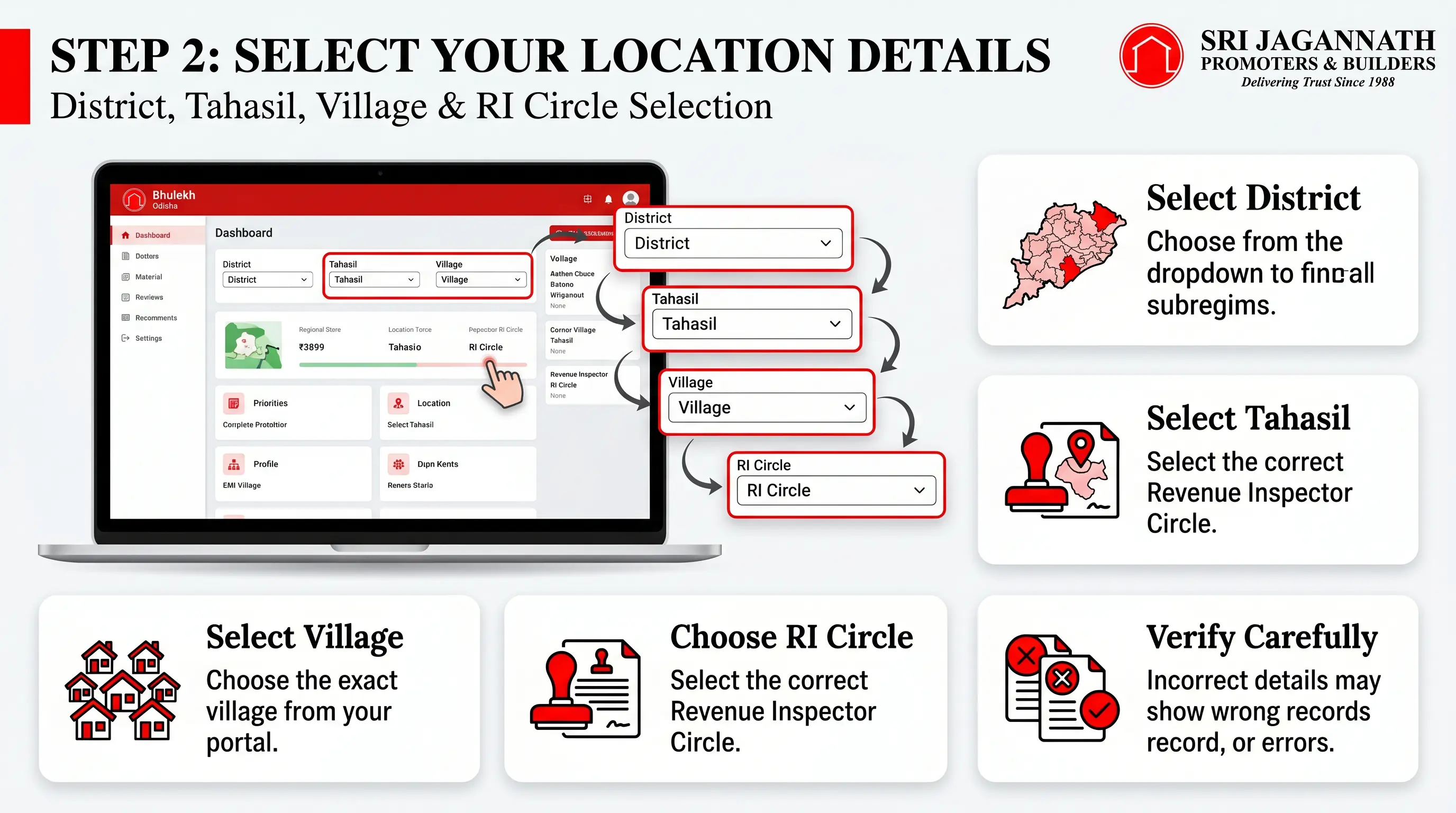
Once you are on the homepage of the portal, you will see dropdown menus that ask for your location details. Select your district, or tahasil, or Village name as mentioned in the menus. Make sure to spell the names correctly.
After choosing the district, the website will load the respective Tahasils in that area, and you must select your specific Tahasil next.
Finally, you will need to choose your exact Village and the Revenue Inspector (RI) Circle from the remaining boxes.
It is highly important to select these regional names carefully, as many villages in India share very similar or even identical names & check land patta Online in Odisha.
Picking the wrong option will give you an error or show you someone else’s land data.
5.Step 3: Choose Your Search Parameter (Khatiyan, Plot, or Tenant Name)
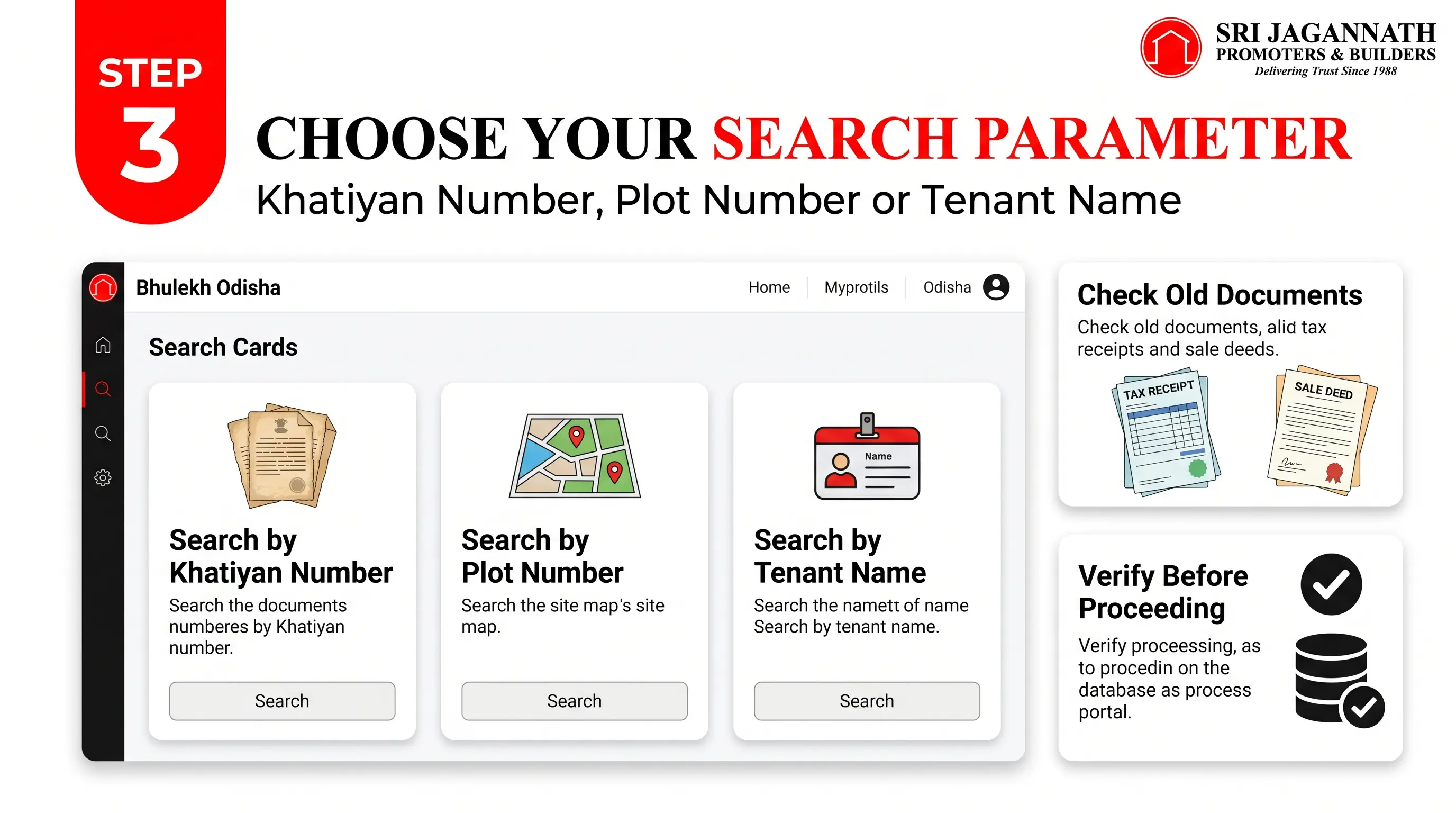
After you have given your location details, the portal provides you three clear choices to find your property papers on the screen.
You can choose between the options by selecting either the Khatiyan number, the Plot number, or the Tenant name.
Tip: If you are not able to find your Khatiyan number, or you do not have it, check your old property tax receipts, or sale deeds. You can easily find the unique Khatiyan or Plot number written on them.
Make sure to type the correct spelling of the names which you are entering and always double-check the Khatiyan, or Plot numbers before going ahead.
This is important in your check land patta Online in Odisha since if you mistype these numbers, you won’t be shown your desired Patta document.
6.Step 4: How to Generate and View the Record of Rights (RoR) Document?
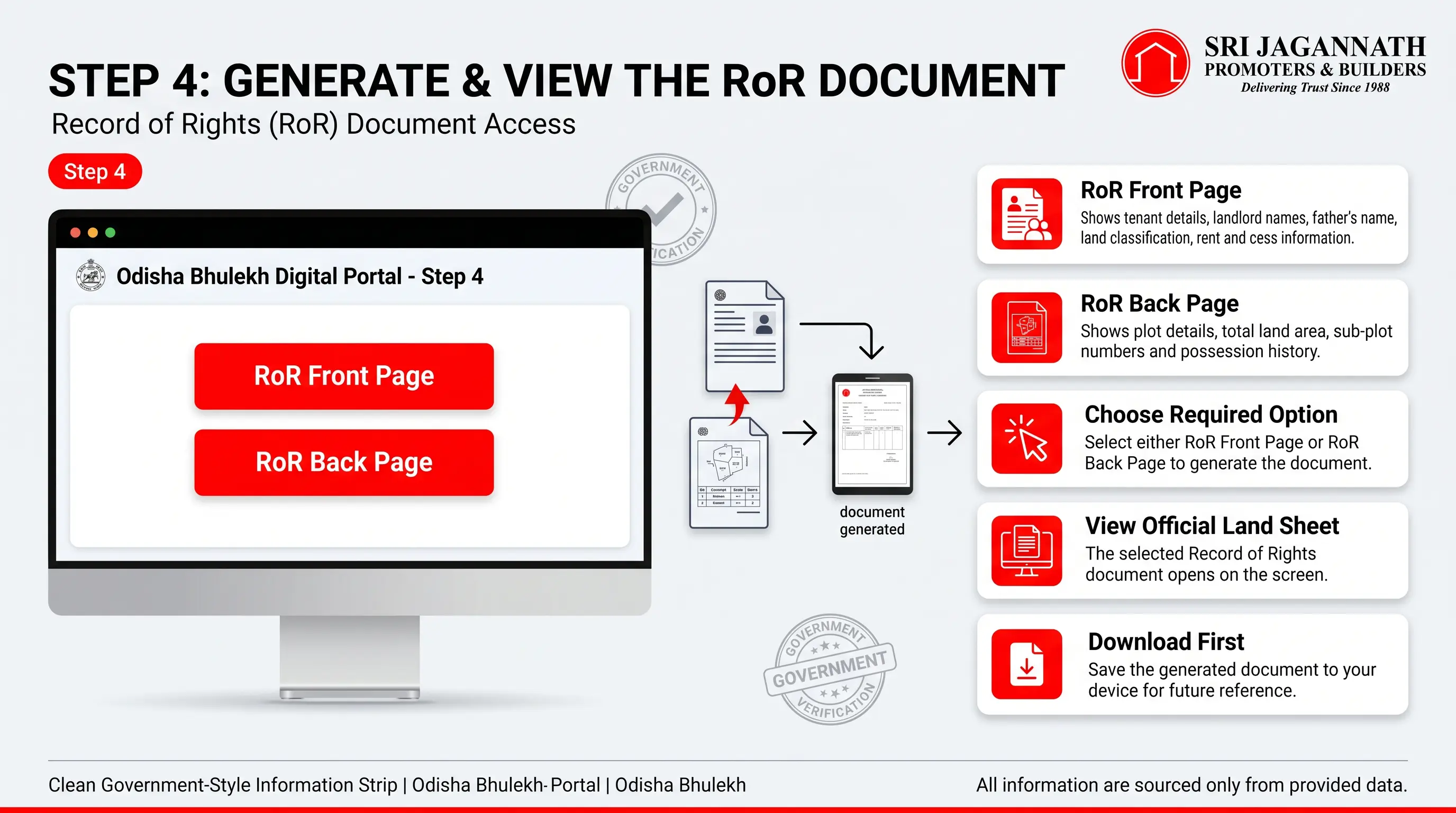
Once you have selected your search option and filled in the necessary numbers or names, you will see buttons labeled “RoR Front Page” or “RoR Back Page.” Do not be confused about these options.
The RoR Front Page provides the details of the tenant, the names of the landlords, father’s name, land classification, and rent and cess details.
While the RoR Back page provides specific plot details, including the total area of land which you own (in acres and decimals), sub-plot numbers, and the history of possession of that land.
Choose your desired option to generate your official land sheet on your screen. After the document has opened, download the document into your device first to save it.
If you are not sure what a Record of RIghts (RoR) document is, check out this simple blog to find out & check this blog check land patta Online in Odisha.
7.Step 5: Download or Print Your Digital Land Patta Copies
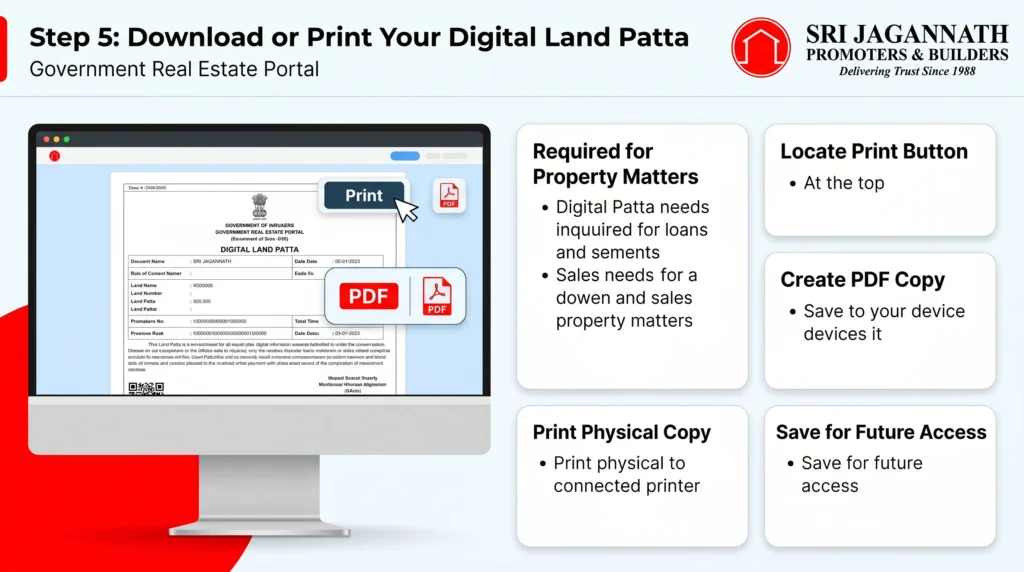
A physical or digital copy of your check land patta Online in Odisha in any kind of loan, or selling of land related matters.
Hence, after your document opens on the portal, look for the “Print” button on the upper section of the page.
Clicking this option allows you to create a soft copy of this document on your device as PDF, and if you have a printer connected to your device, you can also print out a physical copy.
Saving a PDF of your check land patta Online in Odisha is essential so that you can access it later without needing an active internet connection.
8.Step 6: How to Rectify Incorrect Information on Your check land patta Online in Odisha?
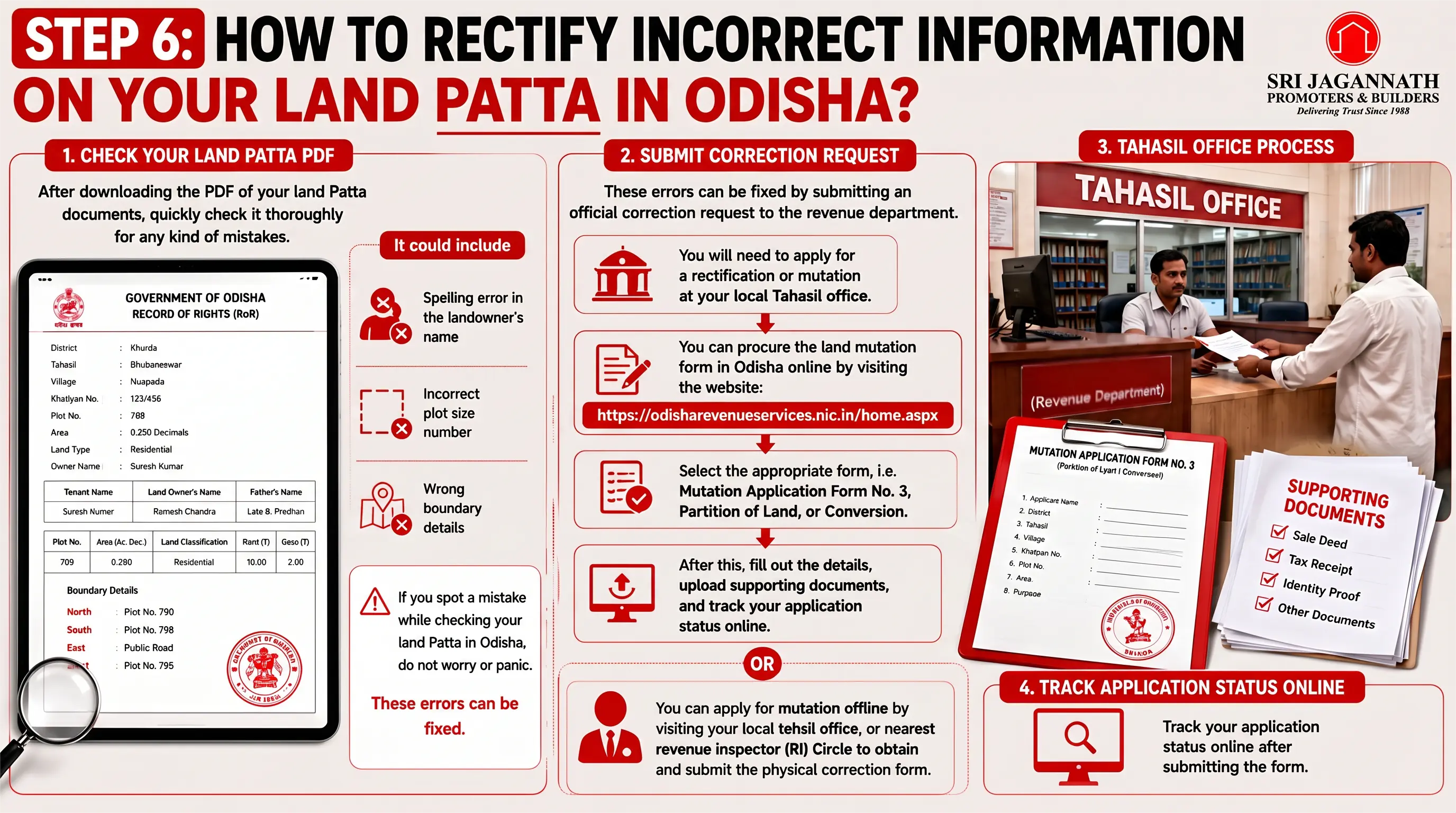
After downloading the PDF of your land Patta documents, quickly check it thoroughly for any kind of mistakes.
It could include a spelling error in the landowner’s name, an incorrect plot size number, or wrong boundary details. If you spot a mistake while check land patta Online in Odisha, do not worry or panic.
These errors can be fixed by submitting an official correction request to the revenue department. You will need to apply for a rectification or mutation at your local Tahasil office.
You can procure the land mutation form in Odisha online by visiting the website: https://odisharevenueservices.nic.in/home.aspx .
Select the appropriate form, i.e. Mutation Application Form No. 3, Partition of Land, or Conversion. After this, fill out the details, upload supporting documents, and track your application status online.
Otherwise you can apply for mutation offline by visiting your local tehsil office, or nearest revenue inspector (RI) Circle to obtain and submit the physical correction form.
9.At a Glance
| Steps | Directions |
|---|---|
| Step 1: Access the Portal | Visit the official website at bhulekh.ori.nic.in and locate the “RoR View” section on the homepage. |
| Step 2: Provide Location Details | Select your specific District, Tahasil, Village, and RI Circle from the provided dropdown menus. |
| Step 3: Choose Search Parameter | Select your preferred search method: Khatiyan number, Plot number, or Tenant name. |
| Step 4: Generate and View RoR | Click on either “RoR Front Page” or “RoR Back Page” to display your land record details on the screen. |
| Step 5: Download or Print | Click the “Print” button to save the land record as a digital PDF on your device or to print a physical hard copy. |
| Step 6: Rectify Information | If errors are found, apply for mutation/correction online via odisharevenueservices.nic.in or visit your local Tahasil office offline. |
10.Conclusion
The digital process of checking your check land patta Online in Odisha has made life very easy for the common man in India.
Thanks to the online portal, you no longer have to spend days visiting government offices or dealing with complex paperwork just to verify your property status.
By following this easy step-by-step guide, you can easily extract your property documents from the official Odisha Bhulekh portal without needing to check anywhere else for your land Patta documents.
Make it a habit to perform a land patta check in Odisha at least once a year to ensure that your records remain completely clean and perfectly updated in the government database.
11.Frequently Asked Questions (FAQs)
1.How can I check land patta Online in Odisha?
You can easily visit the official Bhulekh Odisha website (bhulekh.ori.nic.in). Select your district, tahasil, and village, then choose your plot or khatiyan number to complete check land patta Online in Odisha instantly for free.
2.Can I search for my property details using the landowner’s name?
Yes, the portal allows you to search for records without a plot number. Simply select the ‘Tenant’ option on the website to find your land record by name in odisha quickly and view your property details.
3.How can I check very old land records in Odisha?
To check an old land record in Odisha, you can use the Bhulekh portal’s historical database. However, if some ancient records are missing online, you must visit your local Tahasil office with your physical property deeds to verify them.
4.How can I track my land patta application status online?
You can check your land patta status online in Odisha through the RCCMS portal linked with the state revenue department. This helps you track mutation requests and see if your new land document has been officially approved and updated.
5.Can I check my property registration details online in Odisha?
Yes, you can perform a land registration check online odisha through the official IGR Odisha portal. It allows you to view deed details, check stamp duty, and track the registration status of newly purchased properties easily.
6.Is the digital RoR or land patta downloaded from Bhulekh Odisha Portal legally valid
The digital copy of your land patta odisha viewed on the portal is for informational use. For court cases, bank loans, or official registry work, you need a certified copy signed and stamped by the local Tahasildar.
7.What should I do if there is a mistake in my online Bhulekh records?
If you notice any spelling or area mistakes in your bhulekh odisha land records, you must file a rectification application at your local Tahasil office. Submit your original sale deed and identity proofs to get errors corrected. Otherwise you can submit an application online through the official portal:https://odisharevenueservices.nic.in/home.aspx








Leave a Reply